

AdGuard v4.15.0 Mod APK – Best Download
AdGuard is a system-wide ad and tracker blocker for Android that filters every app and browser on the device through a local VPN, with filter lists, DNS protection, and no root required.


Screenshots
Take a closer look at AdGuard.

AdGuard: System-Wide Ad Blocking for Android
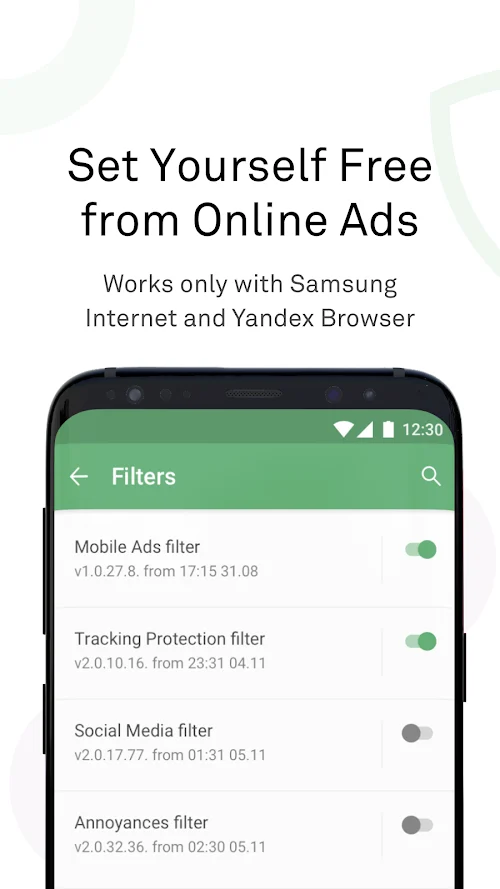
AdGuard is a system-wide ad blocker for Android that filters traffic from every app and browser, not just the page you have open. It runs a local VPN on the device, so no root access is needed, and its filtering engine strips advertising and tracking requests before they leave the phone. Dozens of subscribed filter lists handle banners, pop-ups, video ads, social widgets, and other annoyances, while app management lets you cut background traffic per app. Tracking protection and DNS filtering harden the rest of your privacy, and version 4.15 added a pause timer. Like ZArchiver Donate, it is a tool you configure once and then forget about.
Key Features
- ✓System-Wide Ad Filtering
- ✓No Root Required
- ✓Dozens of Filter Lists
- ✓Tracker and Analytics Blocking
- ✓Per-App Traffic Control
- ✓Custom User Rules
- ✓DNS Filtering and Encryption
Frequently Asked Questions
What is AdGuard?
It is an ad and tracker blocker that works at the network level on Android rather than inside a single browser. Once its local VPN is active, requests to known advertising and analytics servers are dropped before they leave the phone, so banners, pop-ups, and video ads disappear in browsers, games, and ordinary apps alike.
Is AdGuard free?
There is a free tier that removes ads from browsers, but filtering inside apps, Tracking protection, Browsing Security, and userscripts require a licence. Note that the Google Play listing is the separate Content Blocker, which only works in Samsung Internet and Yandex Browser; the full app is distributed by the developer as an APK because Play restricts device-wide blockers.
Does AdGuard require root access?
No. It uses Android's VPN interface as a local, on-device tunnel, which lets it inspect and filter traffic without modifying the system. That is why unrooted phones can still block ads inside apps, something browser extensions cannot do, and why the app asks for VPN permission when you first enable protection.
Can I run AdGuard alongside another VPN?
Android only permits one active VPN at a time, so a third-party VPN client will conflict with AdGuard. AdGuard VPN is the exception, since the two were built to integrate. On rooted devices you can switch AdGuard to proxy mode, which frees the VPN slot, and some VPN apps support an upstream proxy for the same reason.
How does HTTPS filtering work?
AdGuard generates a unique root certificate on your device and uses it to inspect encrypted connections locally. Traffic is decrypted on the phone, advertising and tracking requests are removed, and the connection is re-encrypted before continuing, so nothing readable leaves the device. You can exclude individual apps from HTTPS filtering if one behaves badly.
Does blocking ads really save data and battery?
Yes, to a measurable degree. Ads, trackers, and their measurement scripts are real network requests and real image downloads, so refusing them means less data consumed and less work for the radio and processor. The saving is most noticeable on ad-heavy news sites and free games that push frequent interstitial advertising.
Will AdGuard break apps or websites?
Occasionally, yes, because some sites detect blockers and some apps depend on advertising code to function. The remedy is the allowlist: add a site to the exceptions list or disable filtering for a specific app, after which the request flow returns to normal. Rules can also be written by hand for finer control.
You might also like
6





Comments (1)
Share your experience with AdGuard.
One Comment