

v30.7

Magisk v31.0 APK – Best Download
Magisk is an open-source Android rooting suite that patches a device's boot image to give systemless root, superuser management, and installable modules without altering system partitions.
Android app
Direct APK
Updated SEP 14, 2026
Screenshots
Take a closer look at Magisk.
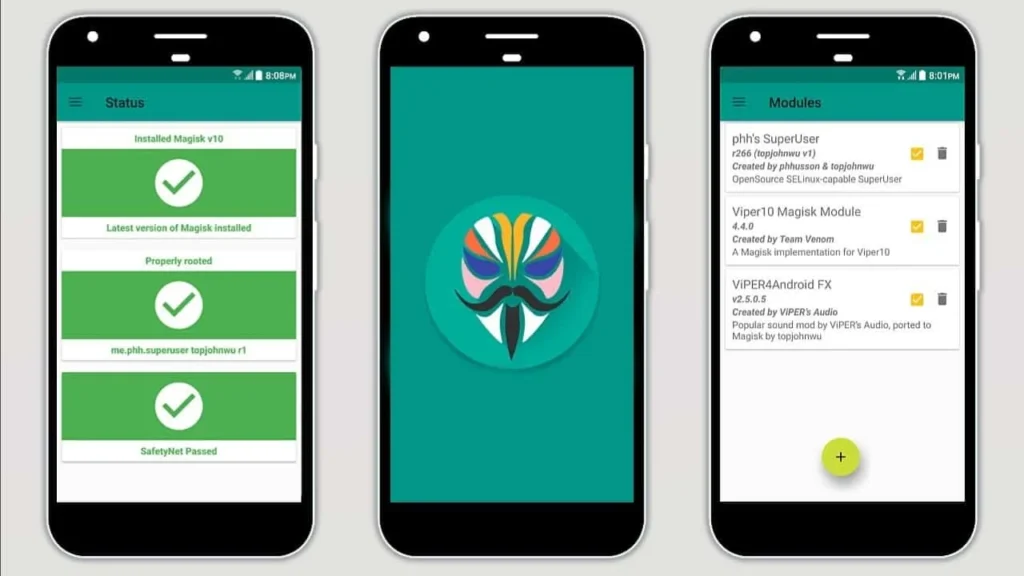
Magisk: Systemless Root for Android Devices
Magisk is a systemless root toolkit for Android that patches a device's boot image rather than rewriting the system partition. That approach keeps the phone booting normally, and every change can be reversed by restoring the original image. Inside the app you approve superuser requests, install community modules that add or replace system files, and use Zygisk to inject code into app processes. The DenyList hides root from picky software, the same workaround people need for clients such as AdGuard that refuse to run on modified devices. Version 31.0 rebuilds the interface and adds a built-in terminal for module scripts.
Key Features
- ✓Systemless Root Access
- ✓Superuser Request Manager
- ✓Zygisk Code Injection
- ✓Community Module Support
- ✓DenyList Root Hiding
- ✓Boot Image Patching
- ✓Stock Image Restore
Version History
v30.6
v30.5
Frequently Asked Questions
What is Magisk?
It is an open-source rooting framework for Android, distributed as an app plus a set of boot tools. Instead of writing files into the system partition, it patches the boot image so root, modules, and system modifications are applied at startup and can be reversed. That is why it replaced older root methods for most custom-ROM users.
Does it cost anything?
Magisk is free and open source, released under the GNU General Public License, with no adverts, subscriptions, or paid tier. Because Google Play does not distribute rooting tools, the app comes from the developer's official GitHub releases page, and the source code is public for anyone to inspect or build.
Does rooting require an unlocked bootloader?
Yes. Rooting means flashing a patched boot image, and that requires an unlocked bootloader. On many phones unlocking wipes all data, so back up first, and be aware that some manufacturers void warranties or restrict features once the bootloader is unlocked. A few carrier-locked models cannot be unlocked at all.
Can root be hidden from banking apps?
Partly. The DenyList, together with Zygisk, hides root from apps you select, and it works for many banking and payment clients. It is not a guarantee, though, because Play Integrity attestation checks the state of the device itself rather than simply looking for the root framework, and those checks keep getting stricter.
How do you install it?
Install the app, point it at the boot or init_boot image extracted from your device's exact firmware, and let it produce a patched copy. You then flash that file with fastboot, or patch the full firmware package on Samsung devices. First-time installs are cleanest after restoring a stock boot image.
Does it modify the system partition?
No, and that distinction is the whole point. Modules and root modifications are mounted over the system at boot, while the framework's own files sit in a data directory. Magisk keeps the system partition read-only and untouched, which preserves firmware updates and lets an uninstall return the device to stock.
Is rooting risky?
It carries real risks. A bad boot image can cause a bootloop, root grants any installed app far greater power over your data, and some apps and services refuse to run on modified devices. Keep a copy of the stock boot image, be careful with the modules you install, and use the built-in safe mode if the phone refuses to boot.
You might also like
6





Comments (1)
Share your experience with Magisk.
One Comment