

Mute Video Remove Audio v4.7 Mod APK – Best Download
Mute Video Remove Audio is an Android utility that strips the soundtrack from any video, saving a silent copy to your gallery so clips can be shared without background noise, music, or voices.

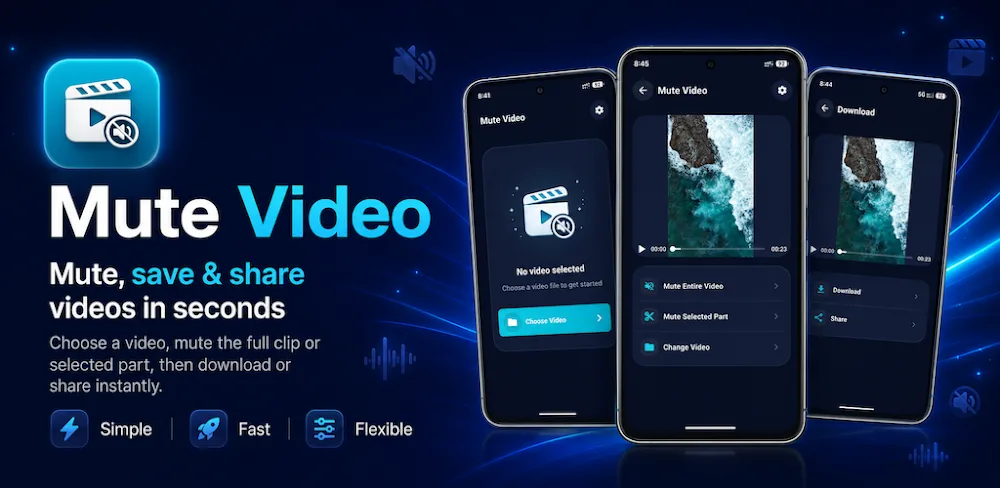
Screenshots
Take a closer look at Mute Video Remove Audio.


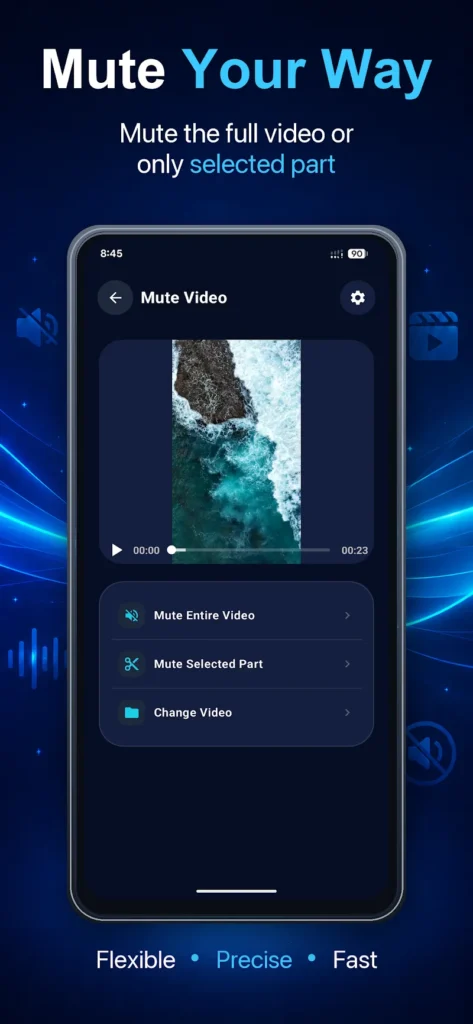
Mute Video Remove Audio in Three Taps
Mute Video Remove Audio does one job: it removes the audio track from a video and saves the silent result. You pick a clip from the gallery, tap mute, and the app writes a new file to your device, leaving the original untouched so nothing is lost if you change your mind. There is no timeline, no bitrate panel, and no export presets to configure, which is why the whole operation finishes in seconds on modest hardware. The muted copy can go straight to a chat app or social feed. It is a narrower tool than a caller filter like Trust Caller ID & Spam Blocker, and that narrowness is the point.
Key Features
- ✓One-Tap Video Muting
- ✓Silent Copy Saved to Gallery
- ✓Original Clip Left Intact
- ✓Share to Chat and Social
- ✓Gallery Picker Import
- ✓Fast On-Device Processing
- ✓Four-Step Mute Workflow
Frequently Asked Questions
Is Mute Video Remove Audio free to install?
The Play Store release is free to download and use. The package described here is a premium-unlocked mod, which means paid options are reported as already available, though modified builds are not distributed by the developer and cannot be assumed to behave like the store version.
Does it delete or overwrite my original video?
No. The app writes a new silent file to your gallery and leaves the source clip where it was, so you keep both versions and can compare them before sharing. That also means storage fills faster if you mute long recordings repeatedly, since each export is a full copy.
Can I mute only part of a video?
Not with this tool. Mute Video Remove Audio removes the entire audio track in one pass, which suits clips where noise or music runs throughout but not a recording where you want to keep one spoken section. For partial muting you need a timeline-based editor instead.
Does it upload my videos to a server?
The mute operation runs on the phone, so you do not need an account or a connection to process a clip. The Play data-safety section does note that third-party components may share app performance data and device identifiers, so read the privacy policy if identifiers being shared matters to you.
Does a muted video weigh less than the original?
Usually a little less, because the audio stream is gone, but the saving is small since the video track dominates file size. On a short clip the difference may be a few hundred kilobytes, so treat muting as a privacy and presentation tool rather than a compression step.
Which video formats does it accept?
The listing does not publish a supported-format list, so the practical answer is whatever your gallery can hand over, which in most cases means the MP4 files produced by phone cameras and social downloads. Test an unusual container before relying on Mute Video Remove Audio for a deadline-sensitive export.






Comments (0)
Share your experience with Mute Video Remove Audio.