
ArtRage v1.4.5 APK – Best Download
ArtRage is a paid natural-media painting app for Android that simulates oils, watercolor, pastels and pencils on a pressure-sensitive canvas, adding layers, blend modes, reference images and desktop-compatible project files.

Screenshots
Take a closer look at ArtRage.

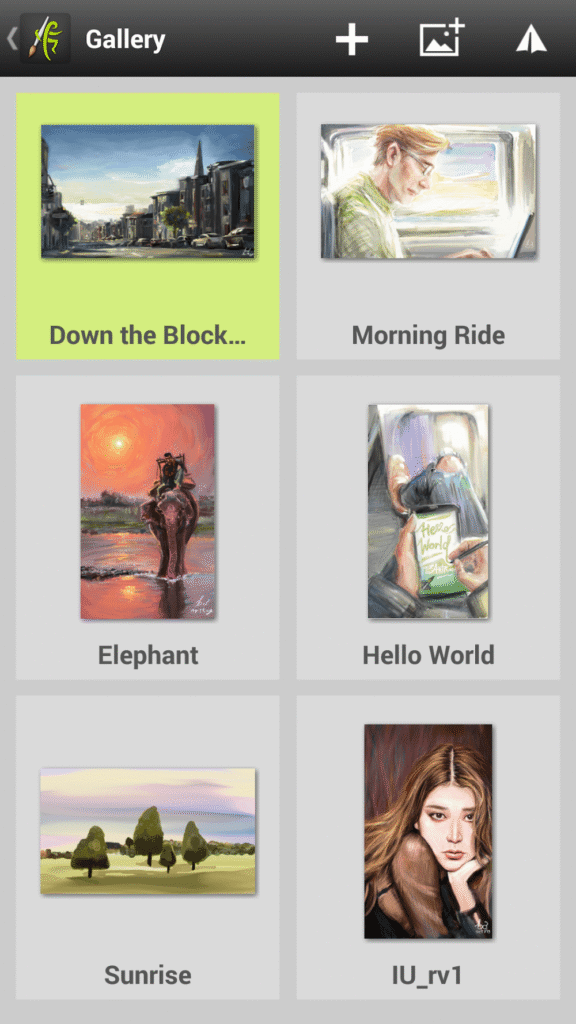
ArtRage Natural Media Painting on Android
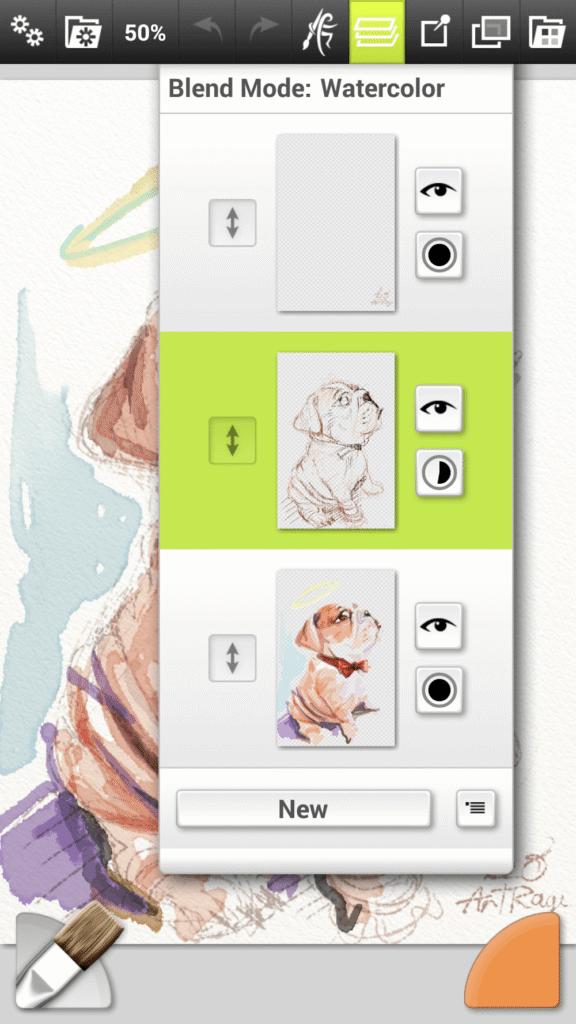
ArtRage is a paid Android painting studio that reproduces physical media rather than flat digital brushes, so oil strokes smear, watercolor blooms and pencil lines smudge. You start a canvas, pick a tool from a palette of oils, airbrush, palette knife, felt pen, pastel and glitter tube, then tune properties such as paint thinner and tip softness or load a custom preset. Layers with Photoshop-style blend modes, flood fill, tracing images and photo import cover the editing side, while Samsung S-Pen pressure adds line variation. ArtRage paintings export as PNG or JPG and remain compatible with desktop releases. It suits illustrators and sketchers, and unlike a casual title such as Gecko Out, it rewards deliberate practice.
Key Features
- ✓Realistic Oil and Watercolor
- ✓Layers With Blend Modes
- ✓S Pen Pressure Support
- ✓Reference and Tracing Images
- ✓Custom Tool Presets
- ✓PNG and JPG Export
- ✓Offline Painting Sessions
Frequently Asked Questions
Is ArtRage free or paid on Android?
It is a paid app on Google Play that is bought once rather than by subscription. There are no adverts or in-app purchases, and painting works offline, though the store still validates the licence when you install, update or reinstall the build.
Which painting tools does it include?
The toolkit covers oil brush, watercolor, airbrush, palette knife, paint roller, paint tube, ink pen, pencil, felt pen, wax and chalk pastel, eraser, flood fill, glitter tube and gloop pen, each with adjustable properties such as paint thinners or pencil tip softness.
Does it support a stylus?
Yes. It reads pressure data from the Samsung S-Pen so strokes vary in width and opacity, and a stylus-only mode stops accidental finger marks while you draw. Third-party pens generally behave as ordinary touch input.
Can I continue the same painting on a computer?
Yes. ArtRage files stay compatible with the desktop editions, and finished pieces export as PNG or JPG images. Paintings can also be recorded as script files and replayed at a larger resolution in the desktop software.
Does the Android version include every desktop feature?
No. The mobile edition concentrates on painting tools, layers, blending and reference images, while some desktop conveniences such as ruler and selection tools are absent from the Android toolkit, so precise selections may need another app.
What permissions does it ask for?
It requests storage, camera and media access so it can import photos, load resources and export finished images, plus network access for Google Play licence checks and the optional PEN.UP feature. The store listing reports no data collected or shared.
You might also like
6
Comments (1)
Share your experience with ArtRage.
One Comment